Claim tools
Struggling to claim?
Our tools help you do it.
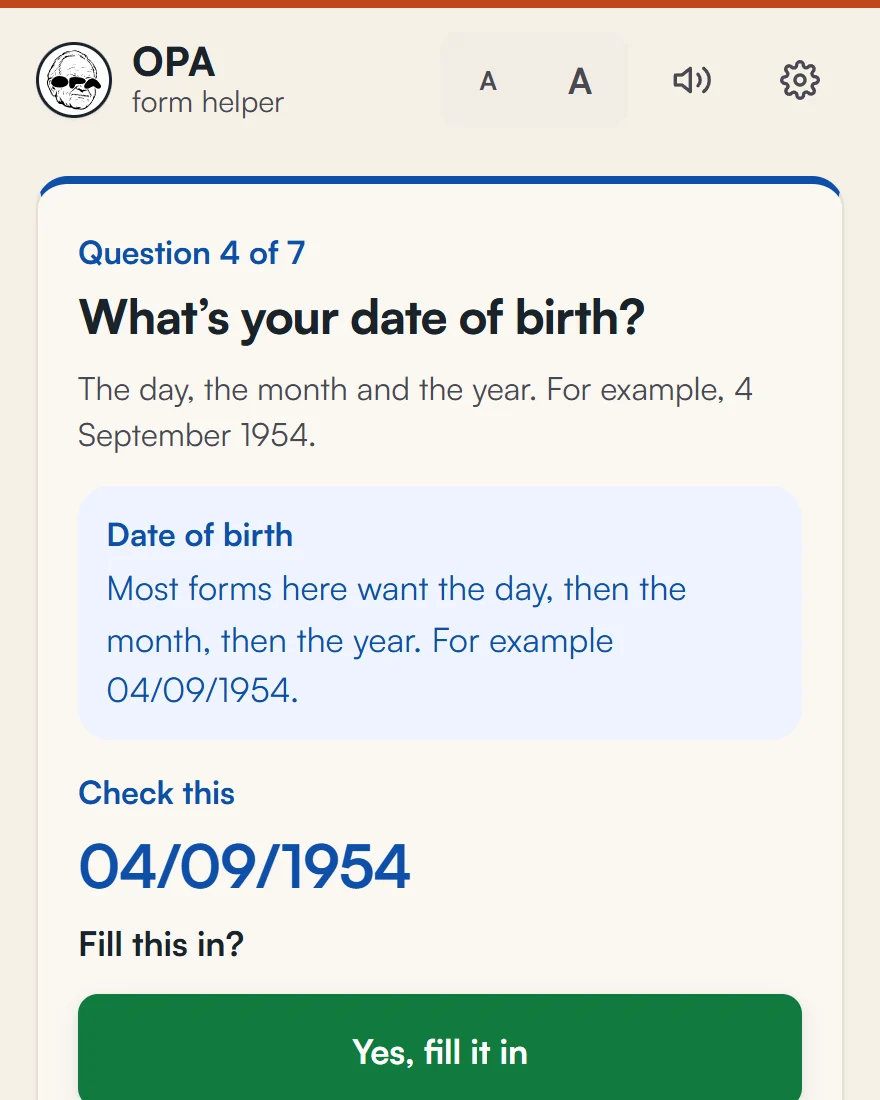
Finding the support is half of it. The other half is the form. unclaimd’s claim tools help with that part. The first is OPA, a helper you add to Chrome. Open the official form, press the OPA button, and it goes through the form with you, one question at a time.
OPA is on its way to the Chrome Web Store. The button to add it to Chrome will be here as soon as it’s there.
For Chrome or Microsoft Edge on a computer. It doesn’t work on phones yet.
Our claim tools
Tool 1
OPA form helper
Goes through an official form with you, one question at a time. Type or say your answers, and check each one before it goes in.
On its way to the Chrome Web Store, for Chrome and Edge on a computer.
More to come
More tools are on the way
OPA is the first. We’re making more tools to help with the hard parts of claiming.
How OPA helps you claim
- 1
Add OPA to Chrome
It takes about a minute. OPA shows a short welcome page with how to pin its button.
- 2
Open the official form
Go to the form on the government site, then press the OPA button. Or press Alt, Shift and O together.
- 3
Answer one question at a time
OPA explains each question in plain words. Type your answer or say it out loud. OPA reads it back, and fills it in only when you say yes.
- 4
Check it, then you send it
Before anything is sent, OPA shows you every answer on the page. You decide when to press Submit.
Why OPA exists
It started with a $100 fuel payment.
Western Australia’s $100 Fuel Support Payment was there to claim. In early October 2026, the figures we had showed over a million Western Australians still hadn’t claimed it. Older people said they gave up because the form was too confusing.
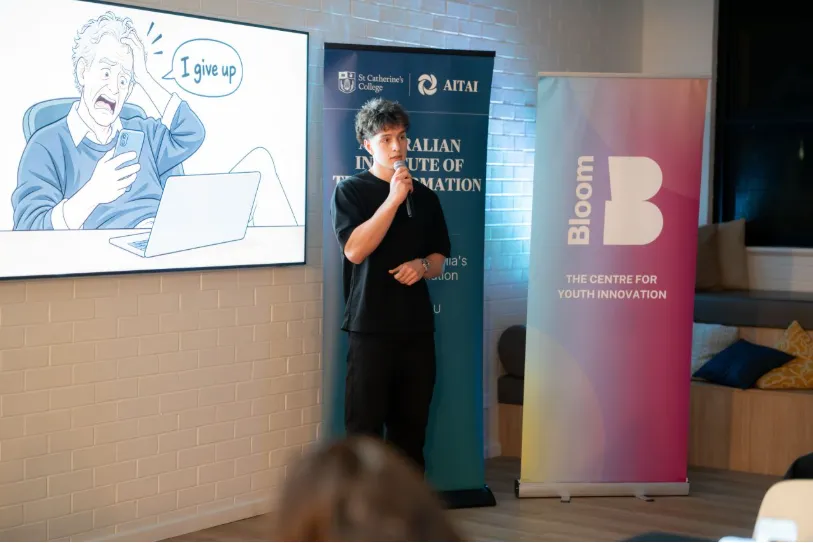
Griffin Hudson, who makes unclaimd, built OPA in LaunchLAB AI, a 10-week program in Perth for new AI startups, run by AITAI with Bloom. “Opa” is Dutch for grandpa. He made it for people like his own grandpa, who found it harder to keep up as more things moved online. People like him deserve to keep doing things for themselves.
“A confusing form shouldn’t cost someone $100. Or their confidence.”
He showed OPA at the LaunchLAB AI Showcase. It has grown since then into the helper on this page, for any form.
What OPA does
- Reads the form for you, like a screen reader does, and lists its questions.
- Explains words like “concession card” or “CRN” in plain English.
- Lets you type or talk. Voice runs on your computer, and you can slow it down.
- Fills in an answer only after you check it.
- Stops and asks before anything that submits, sends, pays or agrees.
- Works with a keyboard only, and with screen readers.
What stays on your computer
Your answers stay on your computer. OPA holds them only while you use it, and clears them when you finish, close the tab or leave it for 15 minutes. Nothing you type or say is sent to us or to any online AI.
Voice, listening and smart help run on your computer too. The first time you turn one on, OPA downloads its open model files from Hugging Face (huggingface.co), and checks each file before using it. Hugging Face sees your internet address, like any website, but never your words or answers.
OPA keeps a list of what it did, such as the names of the boxes it filled, never your answers. On a shared computer, turn on “This is a shared computer” in OPA’s settings and it keeps nothing. Read the privacy notice
What OPA never does
- Read or fill in passwords, bank or card details, or tax file, Medicare, licence or passport numbers. You type those yourself, and OPA shows you where.
- Solve “I’m not a robot” checks, or choose files for you.
- Press Submit without your yes.
- Send your answers to us or to any online AI.
Where we’ve tested it
We built practice copies of these forms and ran OPA through them with 1,800 made-up people, each talking their own way: rushed, unsure, with typos, with a strong accent, or changing their mind.
- Fuel Support PaymentWA
- KidSportWA
- Active and Creative Kids voucherNSW
- Play On! Sports VoucherQLD
- Urban Sport Voucher SchemeNT
- Future of Education Equity FundACT
We haven’t yet run OPA start to finish on a live government form. It reads most web forms, so you can try it on any official form. If it gets stuck, it tells you, and you fill that part in yourself.
Questions people ask
Is OPA part of the government?
No. OPA is made by unclaimd, which is independent. The agency on the form still decides your claim. You can always apply on the official site without OPA.
Can OPA apply for me?
No. You stay the applicant. OPA helps you fill in the form, and you check every answer and press Submit yourself.
Does OPA work on my phone?
Not yet. OPA is an add-on for Chrome or Microsoft Edge on a computer. On a phone, each listing on unclaimd says how to apply, including by phone or in person.
Will it work on the form I need?
OPA reads most web forms, so you can try it on any official form. We’ve tested it on practice copies of real claim forms, not yet start to finish on a live one. If it can’t read part of a page, it tells you, and you fill that part in yourself.
Is it safe to use?
OPA can’t send anything without your yes, and it never touches passwords, bank details or ID numbers. Your answers are held only while you use it, and cleared when you finish, close the tab or leave it for 15 minutes.
What does it download?
OPA itself is small. Voice, listening and smart help are optional extra downloads that run on your computer. OPA shows the size before anything downloads, and works without them.
Not sure what to claim yet?
Answer a few questions to see the payments, rebates and concessions that may fit you, and how to claim each one.